A smart camera
for what you eat.

Point it at a plate, a single ingredient, a barcode or a nutrition label. Peckt reads what is there and composes the entry for you, calories, macros, portion, then keeps a running budget for the day. The photo is read on your iPhone, or in the cloud if you allow it, and Peckt's server keeps no copy.

Cloud is opt-inNo accountOn-device works offline
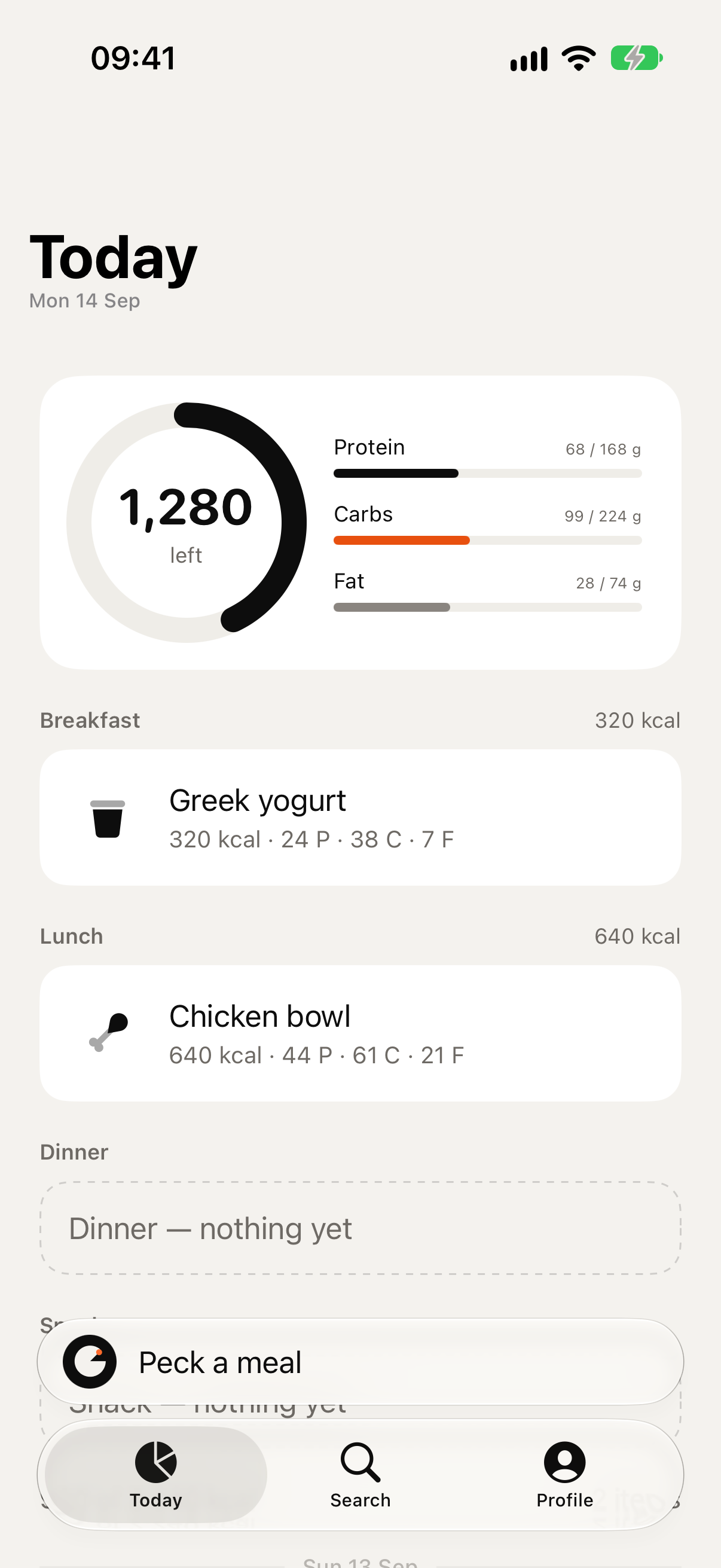
Peckt's Today screen: a ring showing 1,280 calories left, protein, carbohydrate and fat against their targets, and the day's meals listed underneath.

The camera

One photo — four things Peckt can read

There is no mode to choose. Peckt works out what it is looking at and builds the entry from it. On an iPhone with Apple Intelligence, all four are read on the device, with no connection needed. If you allow cloud pecks, a larger model in the cloud reads plates, ingredients and labels instead: a daily free allowance, many more with Peckt Ultimate. Barcodes never go to the cloud.

01
A meal on a plate
Point at the plate. Peckt names the dishes, estimates the portions and adds them up.
02
A single ingredient
Half an avocado, a handful of almonds, the fruit in your bag, one item at a time.
03
A barcode
Packaged food resolves to the product and the values on the pack.
04
A nutrition label
No barcode, or the wrong region? Peckt reads the panel itself, per serving or per 100 g.
Then it fills in the details
Peckt writes up the meal for you, ready to confirm. Change anything before you save it, nothing is typed unless you want it different.
545
kcal
32 g
protein
61 g
carbs
18 g
fat

What you get

Know what you have eaten, and what you have left

Logging takes a photo, not a data-entry session. Peckt keeps a running budget for the day, shows what is still available, and keeps a history you can look back through without judgement.

Today
Sun 9 Aug
Breakfast
Eggs on toast
410
Lunch
Poke bowl
545
Snack
Yoghurt and berries
205
Dinner
Nothing yet

Privacy

Nothing leaves your phone
unless you say so

By default the model that reads your meal runs on your iPhone. The photo is held in memory, analysed, and discarded, unless you turn on “Keep the photos”, in which case they stay in your own iCloud. Cloud pecks are off until you allow them; then the photo passes through Peckt's server to OpenAI for that one estimate, and is never used for training. There is no Peckt server holding your meals.

No account
No sign-up, no email, no password. Open the app and log.
Your iCloud, not ours
Your meals and goals sync through your private iCloud database.
No tracking, no ads
No third-party analytics, no advertising identifiers, nothing sold.
Works offline
On-device estimates and search both work with no connection at all.

The counting

No streaks. No red. No shame.

The ring counts down, not up, what is left, not what you have done wrong. Go over and it says the number. It does not turn red or call it a failure. A day you did not log is blank, not broken. There is no streak to keep and nothing to lose by putting the phone down.

840
left
Remaining, not consumed.
The only number that changes what you do next.

Free to use

Unlimited on-device estimates, unlimited food search and a daily free allowance of cloud pecks, for as long as you want it. Peckt Ultimate raises that to a higher daily limit, monthly or yearly, no trial. The price is shown in your own currency on the App Store, and inside the app, before you are asked to pay anything.

Requirements

iPhone running iOS 27 or later. On-device estimates need Apple Intelligence, available on iPhone 15 Pro and newer. On other iPhones the camera uses cloud pecks, and food search works on every iPhone.

iPhones with Apple Intelligence

iPhone 15 Pro · 15 Pro Max · 16e · 16 · 16 Plus · 16 Pro · 16 Pro Max · Air · 17 · 17e · 17 Pro · 17 Pro Max · 18 Pro · 18 Pro Max

Peckt is now
on the App Store

Free to download, for iPhone on iOS 27 or later.

Download on the App Store